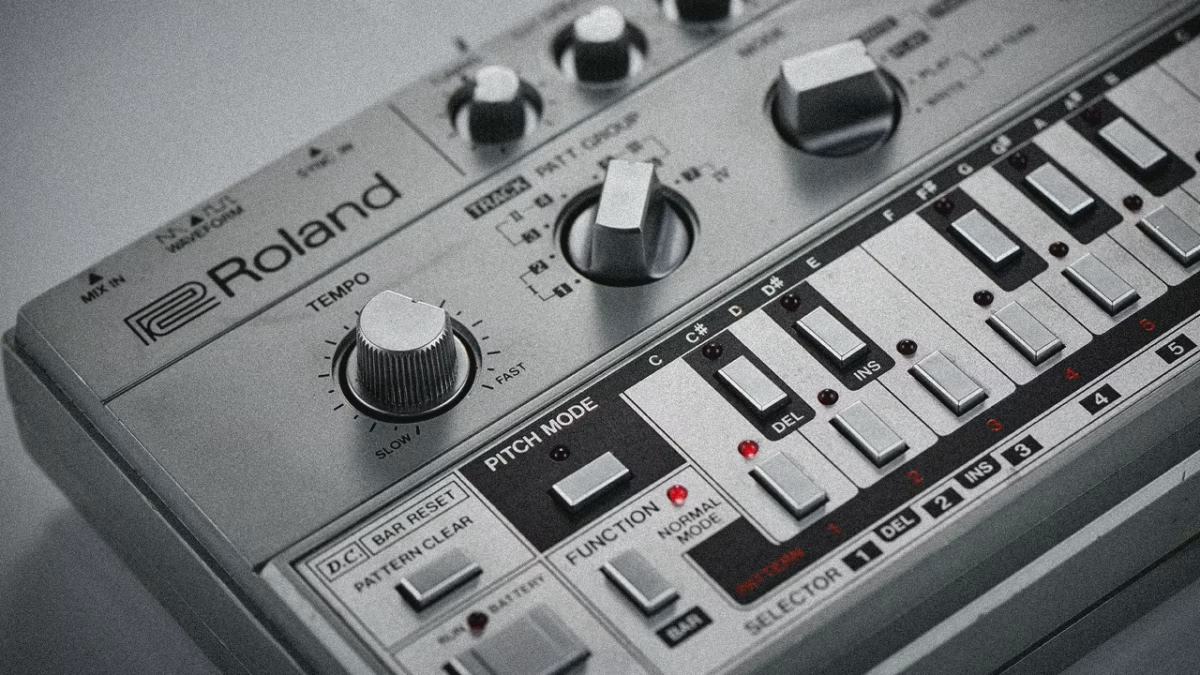
For years, producers dreamed of a magic button to pull a vocal out of a finished track. That magic is finally here. It’s called stem separation and it’s a total game-changer for remixing, sampling, and making music. Powered by AI, this tech can split a song into its core parts like vocals, drums, bass, and instruments. 1
The two biggest names in the music production world, Ableton Live and FL Studio, have both built this feature directly into their software. This is huge. It means no more bouncing tracks to clunky websites or third-party apps just to grab an acapella. But the big question is, who does it better? We dove into the features, the quality, and community feedback to find out which Digital Audio Workstation (DAW) wins the stem separation battle.
How AI Splits Your Tracks (And Why It’s Not Perfect)
So how does this actually work? In short, smart AI models have been trained on tons of music. They’ve learned to recognize the unique sonic fingerprints of a kick drum, a bass guitar, or a human voice. When you feed it a full song, the AI uses that knowledge to untangle the sounds and give you separate audio files, or “stems”. 2
It’s an amazing tool but it’s not flawless. The process can create weird sonic side effects called “artifacts”. You might hear a faint hi-hat in your vocal stem or a watery sound on a sustained note. The quality really depends on how clean your original audio file is. A high-quality WAV file will always give you better results than a low-bitrate MP3. For quick ideas and bootleg remixes, these artifacts are usually no big deal. But for professional work, you might still need more specialized tools. 3
Ableton Live: Stems for the Creative Producer
Ableton built its stem separation to be fast and flexible, fitting right into its famous workflow. With Live 12.3, you can right-click any audio clip, even one in the browser, and split it into four stems: Drums, Bass, Vocals, and Other. The new clips pop up in a neat group track right below your original, keeping your project tidy. 4
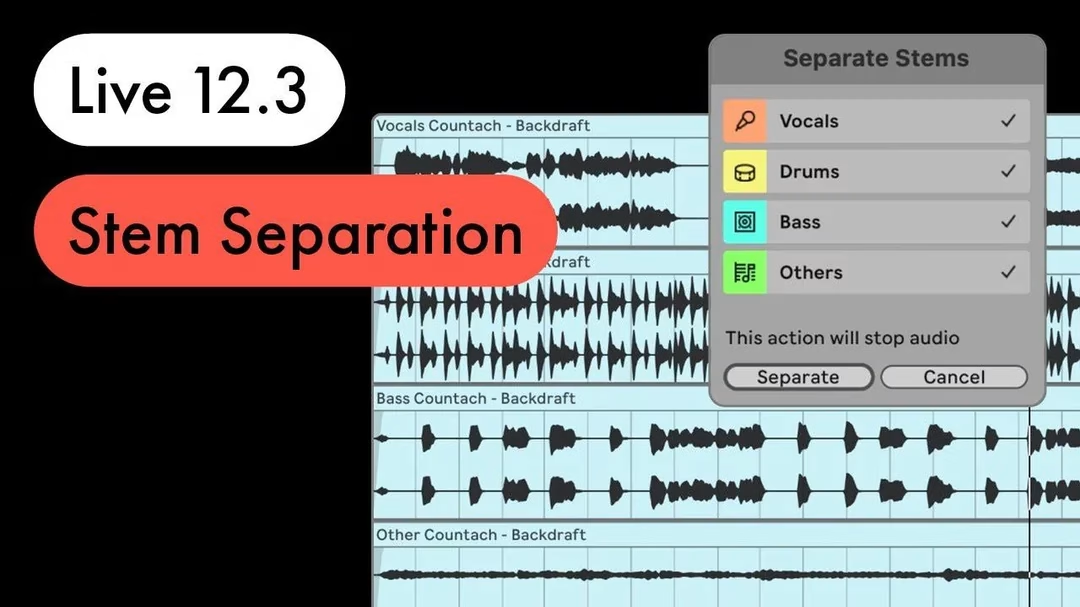
The Workflow The real power here is how the stems work with Ableton’s other features. You can instantly warp the new stems to your project’s tempo, or use the “Audio to MIDI” feature to turn a bassline into a MIDI clip you can use with any synth. This makes it an incredible tool for sound design and sparking new ideas. The whole process happens locally on your computer, so your audio is never uploaded to a server, which is a big plus for privacy.
Quality and Community Feedback The community generally agrees that Ableton’s quality is “pretty good” and very usable for most tasks. Some users even prefer its sound to FL Studio and online services like Lalal.ai. For those wanting the best possible quality, there’s a hidden “High-Quality mode” you can turn on by editing a text file in your preferences. This takes a bit longer to process but gives you cleaner results with fewer artifacts.

Ableton Live vs. FL Studio: Your Weapon of Choice?
FL Studio: The Remix Machine
FL Studio’s approach is all about speed and efficiency, perfectly tailored for beatmakers and remix artists. The feature is available in the Producer Edition and higher. You just right-click an audio clip in the Playlist and select “Extract stems from sample”.
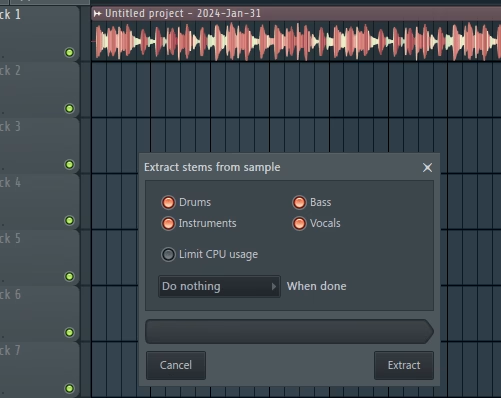
The Workflow This is where FL Studio really shines for remixers. It gives you checkboxes for Drums, Bass, Instruments, and Vocals, so you only extract what you need. Then, it automatically creates new, labeled playlist tracks for each stem and mutes the original clip. In seconds, you go from a single audio file to a fully organized remix project ready for chopping and rearranging. It’s a massive time-saver that gets you to the creative part faster. 5
Quality and Community Feedback The quality of FL Studio’s stems is considered very practical, though some users report the results can sound a bit “muffled” and often need a little EQ to bring back some high-end crispness. Others have found the artifacts can be more noticeable compared to other tools. While it’s a fantastic feature for workflow, you might need to do a little extra work to get the cleanest sound.
Which DAW Is Right for You?
So, who wins? It really depends on your workflow.
- For Workflow: It’s a tie. Ableton’s workflow is better for surgical sound design and experimenting with individual sounds. FL Studio’s workflow is unbeatable for quickly setting up a full remix project from scratch. Your choice here probably comes down to which DAW’s overall philosophy you prefer.
- For Audio Quality: Ableton seems to have a slight edge, especially with its High-Quality mode enabled. Users often describe its output as cleaner with fewer noticeable artifacts compared to FL Studio’s initial results.
For most producers, the new stem separation feature is a fantastic addition that will speed up their process, not a reason to switch DAWs entirely. Both tools are great for everyday tasks.
If you need absolutely pristine, artifact-free stems for a professional release, dedicated software like the free Ultimate Vocal Remover (UVR) or the industry-standard iZotope RX are still the top choices according to the community. But for getting ideas down fast, making bootlegs, or finding new samples, the tools built right into Ableton Live and FL Studio are more than powerful enough to get the job done.
- https://www.reddit.com/r/FL_Studio/comments/16ip9l8/fl_stem_separation_feature_omg_game_changer/ ↩︎
- https://dj.studio/blog/stem-separation-comparison ↩︎
- https://cdm.link/ableton-live-12-3-guide/ ↩︎
- https://www.musicradar.com/music-tech/stem-separation-splice-integration-ableton-is-playing-catch-up-with-live-12-3-but-its-best-new-features-are-the-ones-hidden-beyond-the-headlines ↩︎
- https://www.reddit.com/r/FL_Studio/comments/16ip9l8/fl_stem_separation_feature_omg_game_changer/ ↩︎
* generate randomized username
- COMMENT_FIRST
- #1 Lord_Nikon [12]
- #2 Void_Reaper [10]
- #3 Cereal_Killer [10]
- #4 Dark_Pulse [9]
- #5 Void_Strike [8]
- #6 Phantom_Phreak [7]
- #7 Data_Drifter [7]
- #8 Cipher_Blade [6]