As a music producer who’s spent countless hours deep in the trenches of both Ableton Live and FL Studio, I can tell you this: choosing between these two titans of the DAW world isn’t about one being “better” than the other. It’s about finding the tool that best aligns with your creative flow, your preferred genre, and your personal approach to making music. Both are incredibly powerful, industry-standard Digital Audio Workstations, but they offer distinctly different experiences. Let’s break down where each shines.
The Contenders: A Quick Introduction
Ableton Live has garnered a reputation as a performance powerhouse and a flexible creative hub. Known for its unique Session View, intuitive audio manipulation, and robust live performance capabilities, it’s often the darling of electronic music producers and live performers.
FL Studio, on the other hand, boasts a highly visual and customizable interface, a legendary piano roll, and a workflow that’s often described as incredibly fast for sketching out ideas and building beats. It has a strong foothold in hip-hop, trap, and EDM genres, owing to its efficient sequencing and extensive stock plugin library.
Interface and Workflow: A Tale of Two Philosophies
The first thing you’ll notice when jumping between Ableton and FL Studio is their fundamental approach to user interface and workflow.
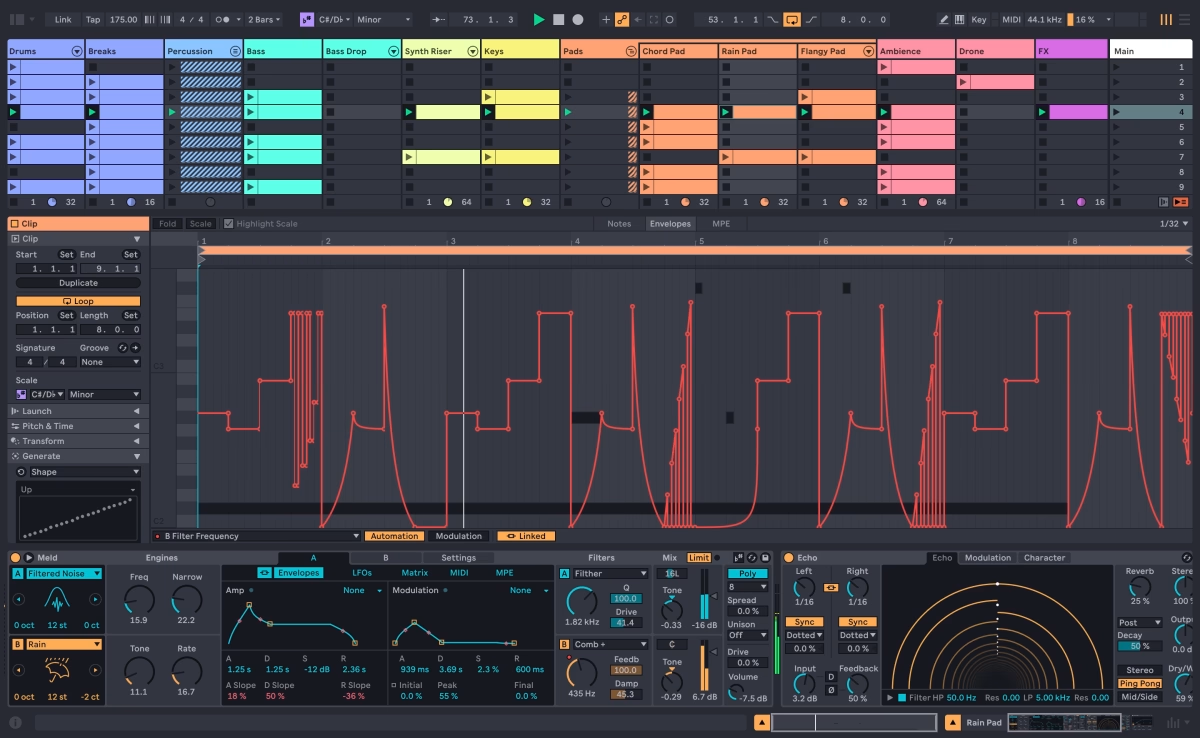
Ableton Live favors a more linear, organized layout. Its two primary views – Session View and Arrangement View – offer distinct ways of working. Session View, with its clip-based grid, is a real-time creative playground, perfect for jamming, experimenting with loops, and building up ideas on the fly. Arrangement View is your traditional timeline for arranging and refining your tracks. This dual-view approach, while initially a bit different for newcomers, promotes a non-linear creative process that can be incredibly liberating. Ableton’s strong emphasis on “Racks” for instruments and effects also streamlines complex signal chains into manageable units. Many producers find Ableton’s focus on a single window with clearly defined sections to be less overwhelming, promoting a focused workflow.

FL Studio embraces a more modular, “floating window” design. Almost every element – from the Channel Rack to the Mixer, Playlist, and Piano Roll – can be detached and rearranged on your screen. This offers unparalleled customization, allowing you to tailor your workspace exactly how you like it. The iconic Channel Rack and step sequencer make beat-making incredibly fast and intuitive, especially for drum patterns and repetitive melodic phrases. The Playlist, where you arrange your patterns, audio clips, and automation, can sometimes become visually dense on larger projects, but its flexibility is undeniable. FL Studio’s piano roll is often lauded as one of the best in the business, offering a wealth of tools for detailed MIDI editing and composition.
Stock Plugins and Instruments: Quantity vs. Quality (and a bit of both)
Both DAWs come packed with a solid array of built-in tools, but their philosophies differ.
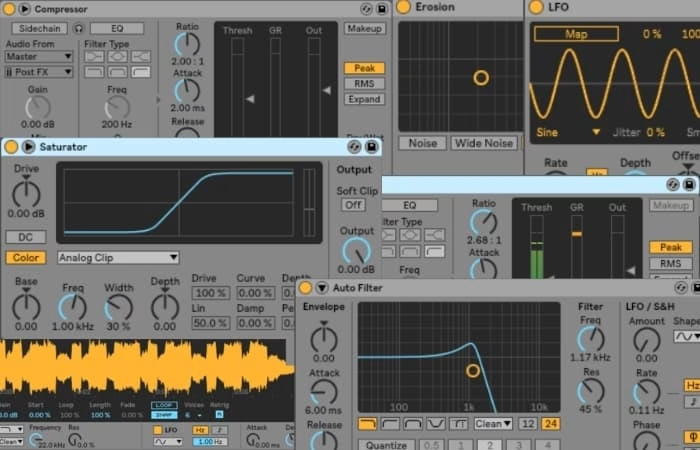
Ableton Live takes a “less is more” approach, focusing on quality and versatility. Its core library of instruments (like Wavetable, Operator, and Analog) and effects (EQ Eight, Compressor, Hybrid Reverb, etc.) are top-tier, designed to be deeply integrated and highly flexible. They encourage sound design and experimentation within the Ableton ecosystem. The recent additions of devices like Drift and the continuous refinement of existing ones ensure a high standard of sonic fidelity.

FL Studio is known for its sheer quantity of stock plugins and instruments. From powerful synths like Harmor and Sytrus to a vast collection of effects covering every imaginable processing need, FL Studio provides an immediate and comprehensive toolkit. While the quality is consistently good, the sheer volume can sometimes be overwhelming for beginners. The lifetime free updates policy for FL Studio is a huge draw, ensuring you always have access to the latest versions and new plugins without additional cost.
Audio Editing and Manipulation: Where Ableton Shines
When it comes to working with audio, Ableton Live has a significant edge, particularly with its warping algorithms. Warping allows you to effortlessly stretch, compress, and sync audio to your project’s tempo without altering pitch. This makes it incredibly powerful for sampling, remixing, and integrating live recordings. The ability to “freeze” tracks and consolidate audio clips quickly also streamlines the audio workflow. For producers who heavily rely on samples, sound design, and live instrumentation, Ableton’s audio capabilities are often a decisive factor.
FL Studio has made significant strides in audio editing with recent updates, including improved consolidation and warping features. While it’s certainly capable, it historically hasn’t been as fluid or intuitive for complex audio manipulation as Ableton. However, for standard audio tracking, mixing, and basic editing, FL Studio performs admirably.
Live Performance: Ableton’s Arena
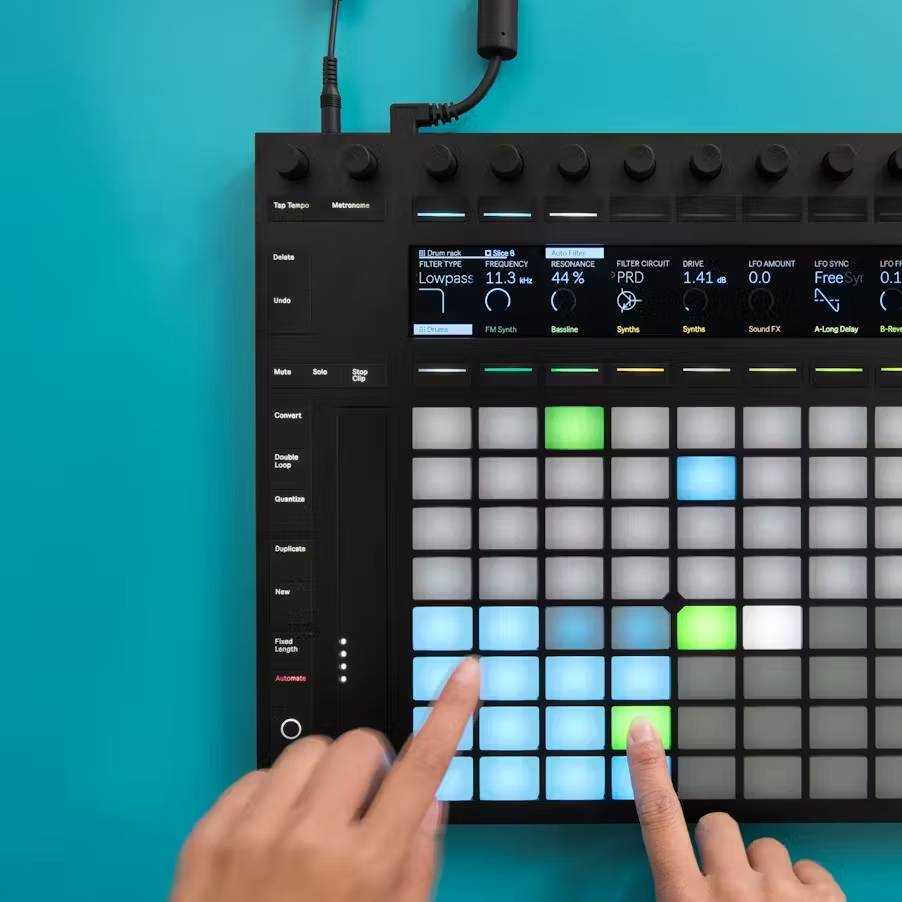
This is where Ableton Live truly earns its name. The Session View, with its non-linear clip launching, real-time effects manipulation, and seamless MIDI mapping, was built from the ground up for live performance. Musicians can trigger clips, improvise arrangements, and control effects on the fly, making it an ideal choice for electronic artists, DJs, and anyone looking to bring their studio creations to the stage. Ableton Push, their dedicated hardware controller, further enhances this live workflow.
While FL Studio can be used for live performance with some clever routing and MIDI mapping, it’s not inherently designed for it in the same way. Its strength lies more in the studio production environment.
Learning Curve and Community Support
FL Studio is often cited as being more beginner-friendly due to its intuitive step sequencer and piano roll, which can get new producers making beats quickly. However, its modular interface can become complex as projects grow.
Ableton Live, while perhaps having a slightly steeper initial learning curve due to its unique Session View, often proves to be a more efficient and streamlined workflow once mastered.
Both DAWs boast massive, vibrant communities. You’ll find a wealth of tutorials, forums, and resources for both, regardless of your skill level or genre. For hip-hop and trap, FL Studio has a particularly strong and well-established tutorial presence. Ableton’s community is equally robust, especially for EDM and experimental genres.
The Verdict: It’s About Your Journey
So, which is your sonic weapon of choice?
- Choose Ableton Live if: You’re an electronic music producer, live performer, sound designer, or someone who thrives on a non-linear, experimental workflow with strong audio manipulation capabilities. If you appreciate a clean, consolidated interface and the potential for deep integration with hardware controllers, Ableton is likely your match.
- Choose FL Studio if: You’re a beatmaker, hip-hop or trap producer, or someone who values a highly customizable interface, a fast sequencing workflow, and an extensive collection of stock plugins. If you prefer a modular approach with separate windows and a top-tier piano roll, FL Studio will empower your creative process.
Ultimately, the best way to decide is to try both. Most DAWs offer free trials, allowing you to experience their unique workflows firsthand. Remember, the software is just a tool; your creativity is the true driving force. Experiment, explore, and find the DAW that truly helps you translate the music in your head into reality.
Frequently Asked Questions
Is Ableton Live better for beginners than FL Studio?
Neither is definitively “better” for all beginners. FL Studio’s step sequencer and intuitive piano roll often make it easier for new producers to quickly lay down beats and melodies. Ableton’s Session View can initially seem less straightforward but offers a highly creative and efficient workflow once understood. Many beginners find success with both, depending on their learning style and musical goals.
Which DAW is best for hip-hop production: Ableton or FL Studio?
FL Studio has a very strong reputation in hip-hop and trap due to its rapid beat-making capabilities, excellent piano roll, and extensive sound library. However, Ableton Live is also widely used in hip-hop for its sampling, warping, and creative audio manipulation tools. Both are highly capable, but FL Studio often wins for its native workflow in these genres.
Can you live perform with FL Studio?
Yes, FL Studio can be used for live performance, and its capabilities for this have improved over time. However, Ableton Live was designed from the ground up for live performance with its Session View, making it generally more fluid and intuitive for real-time manipulation, improvisation, and controlling hardware on stage.
Does FL Studio offer free lifetime updates?
Yes, one of FL Studio’s most compelling advantages is its policy of offering free lifetime updates for the version you purchase. This means you buy it once and receive all future major and minor updates without any additional cost. Ableton Live, conversely, typically requires a paid upgrade for major version releases.
Is Ableton Live good for mixing and mastering?
Absolutely. Ableton Live provides a comprehensive set of high-quality mixing and mastering tools, including excellent EQs, compressors, reverbs, and more. Its clear interface, flexible routing, and the ability to work with various third-party plugins make it a highly capable environment for achieving professional-grade mixes and masters.
* generate randomized username
- COMMENT_FIRST
- #1 Lord_Nikon [12]
- #2 Void_Reaper [10]
- #3 Cereal_Killer [10]
- #4 Dark_Pulse [9]
- #5 Void_Strike [8]
- #6 Phantom_Phreak [7]
- #7 Data_Drifter [7]
- #8 Zero_Cool [7]